
From the Nibiru Software Blog

What Is MDF File Fragmentation (and Why Most DBAs Miss It)
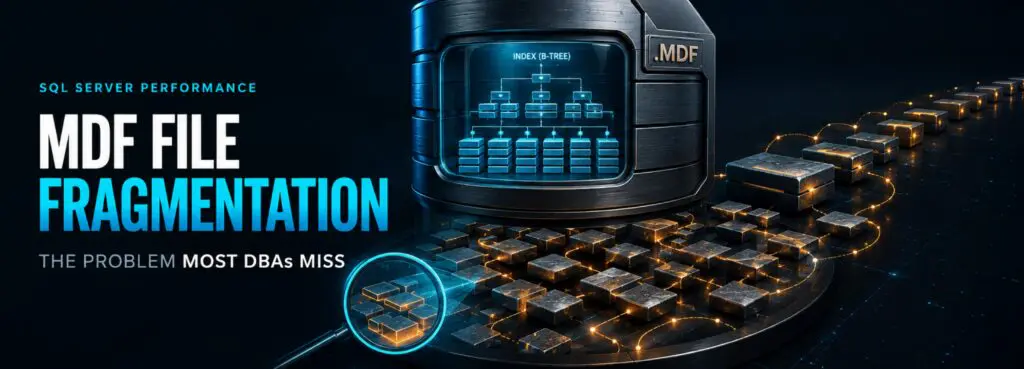
Ask most DBAs about fragmentation and they’ll immediately talk about indexes — rebuild thresholds, reorganize schedules, fill factor. Almost nobody brings up the Master Database File itself. That’s a gap worth closing, because MDF file fragmentation in SQL Server is a completely separate problem from index fragmentation, and it’s one most maintenance plans never touch.
Two Different Kinds of Fragmentation in SQL Server
SQL Server fragmentation actually splits into distinct problems that require distinct fixes:
- Logical (index) fragmentation — the order of pages inside an index doesn’t match their intended logical order. This is what index rebuilds and reorganizes address.
- Physical (file-level) fragmentation — the MDF and LDF files themselves are scattered across the storage volume because they grew in many small increments over time.
Defragmenting indexes does nothing to fix file-level fragmentation, and defragmenting the underlying file does nothing to fix index fragmentation. They’re independent problems, and a maintenance routine that only handles one of them is leaving performance on the table.
How MDF Files Become Fragmented
Database files fragment at the file-system level the same way any large file does: through repeated small growth events. If a database is left on default autogrowth settings — historically a small fixed increment, or a percentage-based setting that shrinks in absolute terms as the file gets bigger — every growth event allocates a new chunk of disk space that may not be contiguous with the last one. Do this hundreds of times over a database’s life and the MDF ends up scattered across the volume, even though nothing about the indexes inside it has changed.
This is exactly the kind of problem that’s invisible to typical DBA workflows. It doesn’t show up in sys.dm_db_index_physical_stats, because that view only reports on index and page-level fragmentation inside the file, not the file’s own layout on disk.
Microsoft’s own engineering guidance on defragmenting indexes makes the same distinction: defragmenting indexes does not defragment the database file, and defragmenting the file does not touch index fragmentation.
Why It’s Consistently Missed
A few reasons this stays under the radar:
- Most fragmentation monitoring tools and scripts are scoped to indexes, not files.
- On SAN-backed storage, disk subsystems often manage fragmentation automatically, so teams assume it’s “handled” but this isn’t universally true, particularly for direct-attached or smaller storage setups.
- File-level defragmentation historically required OS-level tools separate from anything a DBA would normally run, so it fell into a gap between DBA and infrastructure/storage teams.
Why It Still Matters for SQL Server Performance
Even on modern SSD and NVMe storage, a heavily fragmented file means the storage subsystem has to track and traverse far more file extents than necessary. That’s overhead on every read, even if the per-operation cost is smaller than it was on spinning disk. On larger databases with years of uncontrolled autogrowth, the cumulative effect is measurable.
Fixing It the Right Way
The standard prevention approach looks like this:
- Size database files appropriately up front instead of relying on autogrowth to do the sizing work over years.
- Set autogrowth in fixed, meaningful MB increments rather than small percentage-based steps.
- Monitor file usage and grow proactively during low-usage windows instead of reactively during peak load.
- Take a full backup before any file-level defragmentation work, consistent with standard recovery best practices.
The complicating factor is that fixing existing fragmentation without a policy-driven tool usually means manual intervention, careful scheduling, and a backup step that’s easy to skip under time pressure — exactly the kind of maintenance task that quietly falls off the schedule.
How This Fits Into a Modern SQL Server Maintenance Policy
This is the specific gap Nibiru Software’s SQL Database Defragmenter (SQL DBD) was built around. Rather than treating index maintenance and file-level MDF maintenance as two separate manual processes, SQL DBD runs the native SQL Server backup utility ahead of defragmentation automatically, following recovery best practices, and then handles Master Database File defragmentation as part of the same policy — without detaching the database or taking the server offline. Fragmentation hotspots at the server, database, and index level are all visible from a single Web Dashboard, so the file-level problem doesn’t stay invisible.
Key Takeaways
- MDF fragmentation and index fragmentation are separate problems with separate causes.
- File fragmentation comes from repeated small autogrowth events over a database’s lifetime.
- Standard index-fragmentation monitoring will not surface this issue — it needs to be checked separately.
- Prevention (proper sizing and autogrowth settings) is cheaper than cure, but existing fragmentation still needs a backup-first, policy-driven fix.
Related reading on nibirusoftware.com
- SQL Server Index Fragmentation: Rebuild vs. Reorganize A DBA’s Field Guide
- How to Check SQL Server Index Fragmentation Using DMVs
See also: SQL Database Defragmenter Dashboard, Technical Specs, and Free Trial pages on nibirusoftware.com